July 5, 2026Camera / AI / Home Assistant
Smart Cat Fountain: Camera Recognizes the Cat, Home Assistant Opens the Faucet
ESP32-S3FrigateCoral TPUHome AssistantObject DetectionZigbeeCats
Advertising note: This post contains affiliate links (marked with *). If you buy through them, I receive a small commission — the price stays the same for you.
Safety notice — rebuild at your own risk
Rebuilds at your own risk. This description is a personal documentation, not a verified build guide — you have to verify suitability for your use case yourself.
The Problem: My Cats Only Drink From the Faucet
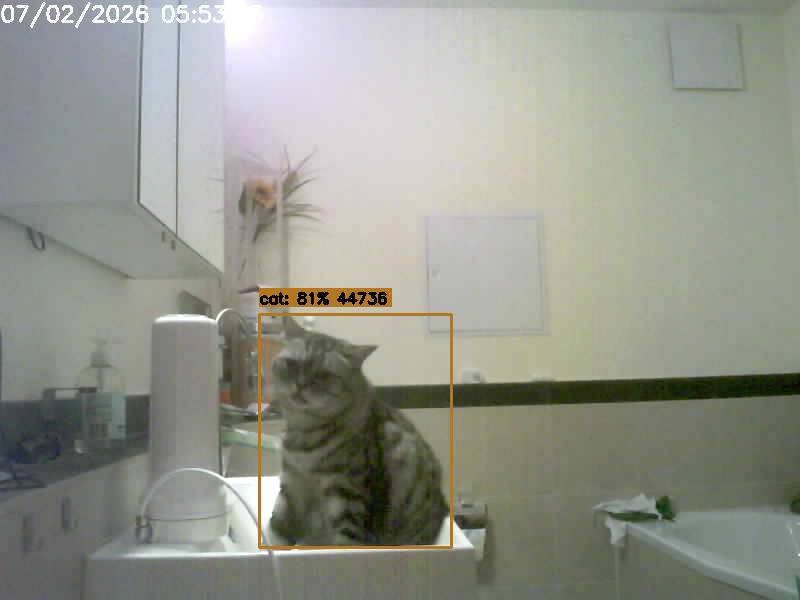
Susi (British Shorthair) and Loki (Maine Coon) don't drink from a bowl. Period. What they want is fresh, running water from the bathroom faucet. Cat fountain? Ignored. So for years I opened the tap just a little, so a thin stream would run for them.
The real problem wasn't the cats — it was me. I constantly forgot to close the tap again. More than once the water ran all night. Or the entire workday while I was on shift. With water prices these days that adds up, and it's completely unnecessary.
One thing was clear: the cats won't change. So the tech has to take over the forgetting part.
First Attempt: Motion Sensor. Works — But Wrong.
The obvious approach: a PIR motion sensor above the sink plus a smart valve in the water line. Cat arrives, motion detected, water on. Cat leaves, water off. And it did work.
Except: a PIR sensor can't tell a cat from a human. Every morning when I stumbled into the bathroom half asleep, the tap opened. Brushing your teeth next to an automatic stream of water gets annoying faster than you'd think.
What I needed wasn't motion detection, but an answer to the question: is that thing in the sink a cat — or me?
The Solution: Frigate + Coral TPU Recognize the Cat
Object detection provides the answer. My server runs Frigate — an open-source NVR that analyzes camera streams in real time. A Coral USB Accelerator* handles the actual detection, so the CPU barely notices.
The flow:
1. A small ESP32 camera above the sink streams the image to Frigate
2. Frigate detects whether there's a cat in the frame — not just "something is moving"
3. A zone sits exactly on the sink, so a cat lounging next to it doesn't count
4. The result goes to Home Assistant via MQTT, the rest is an automation
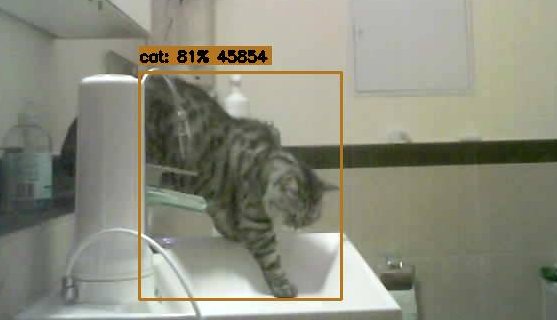
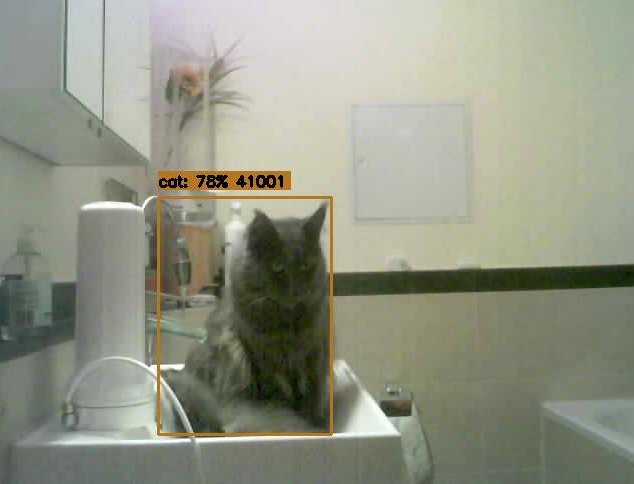
The difference from a motion sensor: Frigate doesn't say "motion", it says "cat, 81%". And when I'm standing at the sink myself, it says "person" — and the valve stays closed. Exactly what I wanted.
The Camera: ESP32-S3 with OV5640 for Under 20 Euros
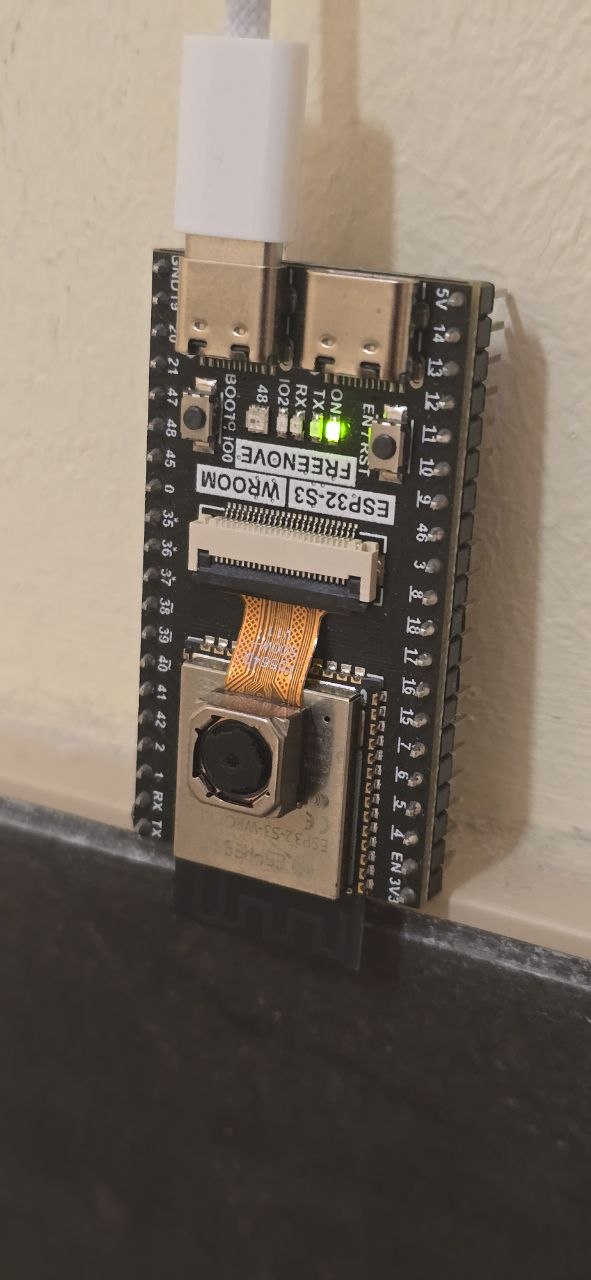
I didn't want an off-the-shelf IP camera in my bathroom — too big, too expensive, and honestly, I prefer building this kind of thing myself. I ended up with a Freenove ESP32-S3 WROOM CAM board* (16 MB flash, 8 MB PSRAM) with an OV5640 sensor.
The firmware is built with PlatformIO and streams MJPEG over RTSP — 1280x720 at around 10 fps. Frigate only needs 5 fps for detection anyway, so that's plenty. Updates run over OTA, so no crawling into the bathroom with a USB cable.
Two things worth knowing:
- The ESP32-S3 has no hardware H.264. MJPEG causes a bit more CPU load in Frigate — completely uncritical for a single camera.
- The camera should look at the sink from above at an angle, so the cat is visible as a whole animal. Just a head at the edge of the frame often isn't enough for a confident detection.
And yes: the board is currently mounted bare on the wall. The case is in the 3D printer queue — as is tradition for any proper maker project.
Home Assistant: Valve, Run-On Timer and Safety Net
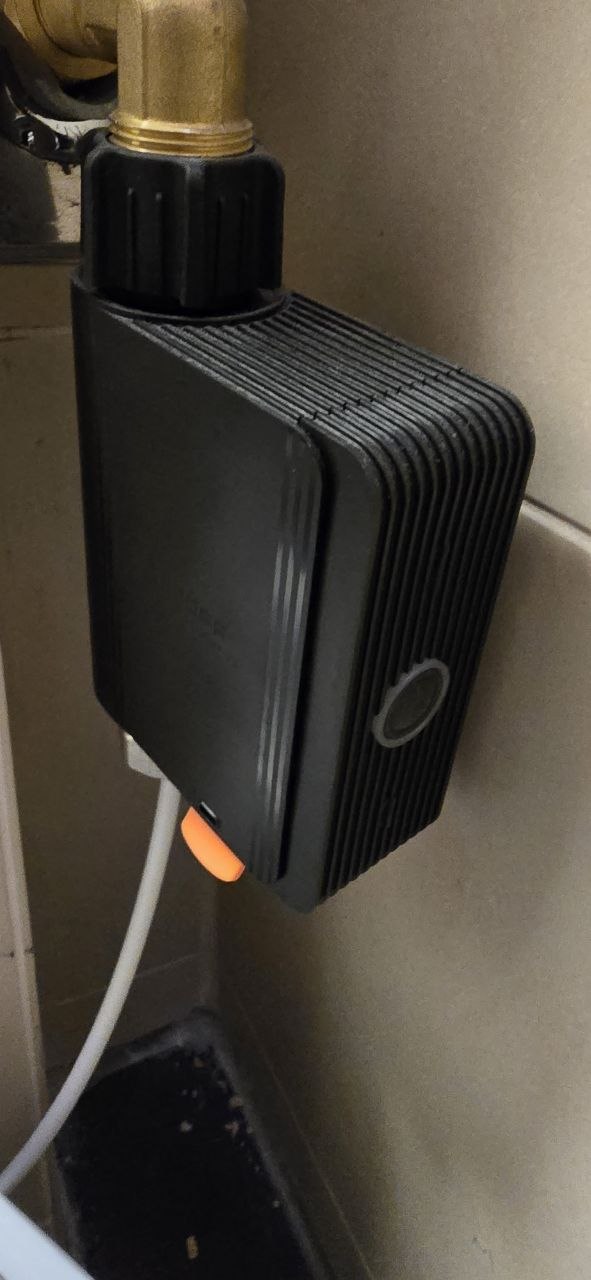
A Sonoff SWV* sits in the water line to the faucet — a Zigbee water valve switchable by Home Assistant. One thing to watch when buying: it comes as a BSP variant (G3/4 thread, EU) and as a US version with NPT thread — make sure you grab the one that matches your plumbing. The logic consists of four automations:
1. Open: Frigate reports a cat in the sink zone → valve opens
2. Run-on: Cat leaves the sink → a 45-second timer starts
3. Close: Timer expires → valve closes
4. Safety cutoff: After 3 minutes maximum, it always closes — in case Frigate decides a towel is a cat at 3 am
On top of that there's a master switch (input_boolean) to disable the whole automation whenever I don't want it running.
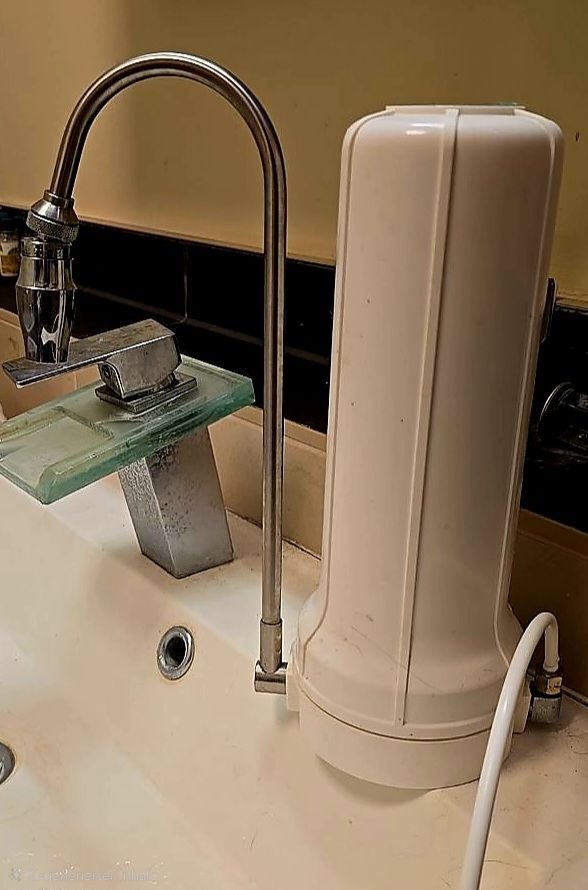
One detail I particularly like: the water runs through a countertop filter before it comes out of the tap. So the cats are drinking filtered water here. Strictly speaking, they drink better water than I do.
Loki Is Officially a Dog
The funniest bug of the project: Loki is too big for the detection model to be a cat. The COCO model Frigate uses by default regularly classifies the Maine Coon as dog — at 79% confidence, so the model is quite sure about it.
The pragmatic fix: since no dog lives here, Frigate simply tracks
cat and dog on this camera, and the automation treats both the same. Problem solved. As for Loki's dignity, no comment.
The system has been running around the clock ever since — including at half past four in the morning when Susi takes her early drink. The tap now runs exactly when a cat sits in front of it. And not a minute longer.
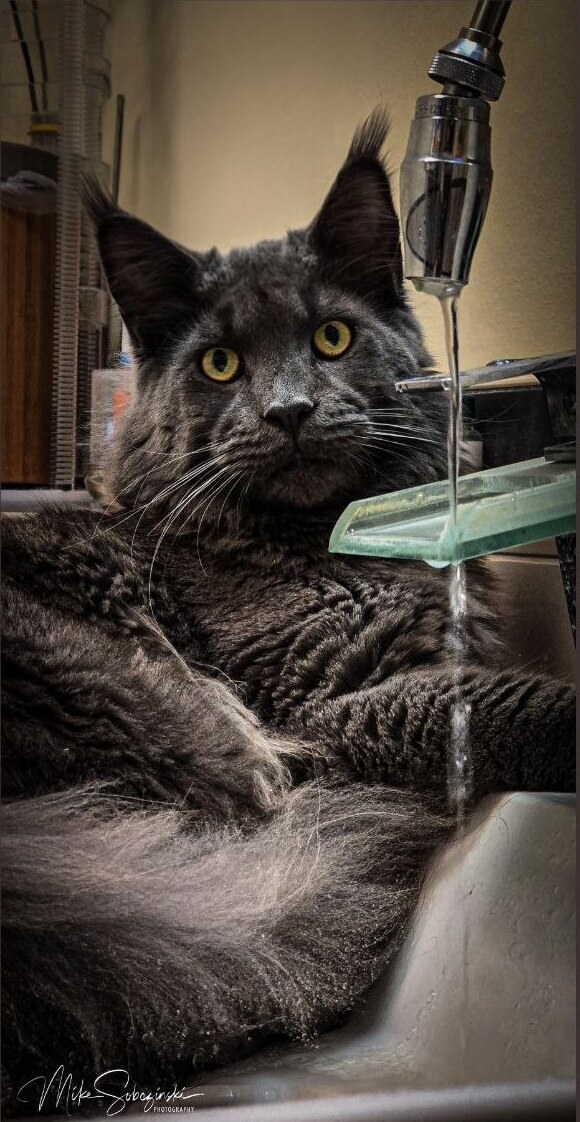
Though Loki has started interpreting the system rather generously: he just settles into the sink and enjoys the running water as ambience — a cat in the zone is a cat in the zone, after all. At least the three-minute safety cutoff puts an end to each spa session. (The photo is real, by the way — I only had an ugly grille in the background removed via AI retouching.)
Next up: the printed case for the camera, and maybe some subtle night lighting so the model detects even more reliably in the dark. All configs are on GitHub: esp32-frigate-cat-fountain — the Frigate snippet, the HA automations and the PlatformIO firmware.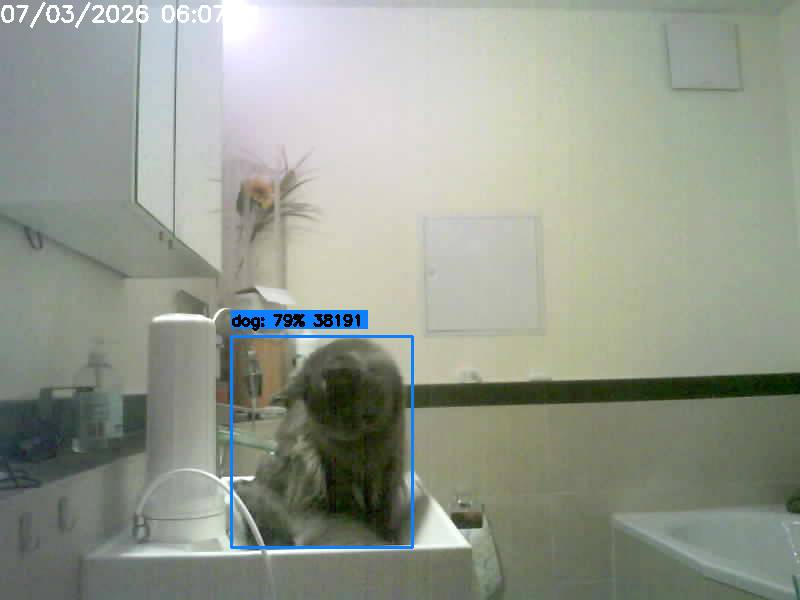
More technical details about this project:
View Project →* Advertising — Links marked with an asterisk (*) are affiliate links. If you purchase through these links, I receive a small commission — the price stays the same for you.

Mike Sobczinski
Trained in automation and computer technology, working full-time in the semiconductor industry. Builds IoT solutions with ESP32, LoRa, and Home Assistant — from firmware to dashboard.
Learn more →